
Closing date for entries: Entries for the 2025 Festival have now closed. Join our mailing list, or follow us on Facebook or Instagram to be first to hear about the 2026 Festival!
We are excited that for the first time in the Festival’s history, all entries can now be made using our online entry form via RunMyFestival:
The online entry system offers many benefits, not just to the Festival, but to entrants too, with the ability to manage multiple entries a real bonus for teachers and schools. The system offers an easier and faster, streamlined approach to entering and paying which is a real bonus for us all.
Our volunteers have worked incredibly hard over the past few months to configure and test the online entry platform. We acknowledge that this is new to us all, so if you have any problems or queries, please do get in touch and we will get back to you as soon as possible.
If this is your first time using RunMyFestival you might find these brief guidelines useful. For ease of reference, you can also download them here:
Please note that the interface may look slightly different, depending on which device you access the platform.
1. Creating an account
If this is your first time using RunMyFestival, you will need to create an account. Add your email address, then click the link in the confirmation email you receive. You will then be able to set up your account, add your contact details, and create a password:

You can enter multiple individuals, ensembles, choirs and duets using a single account.
2. Set up your accompanist (if applicable)
If you are accompanying a performer you are entering, or you are bringing your own accompanist, please set this up before you make any entries. You can do this by going to the top menu and selecting ‘New Accompanist’:
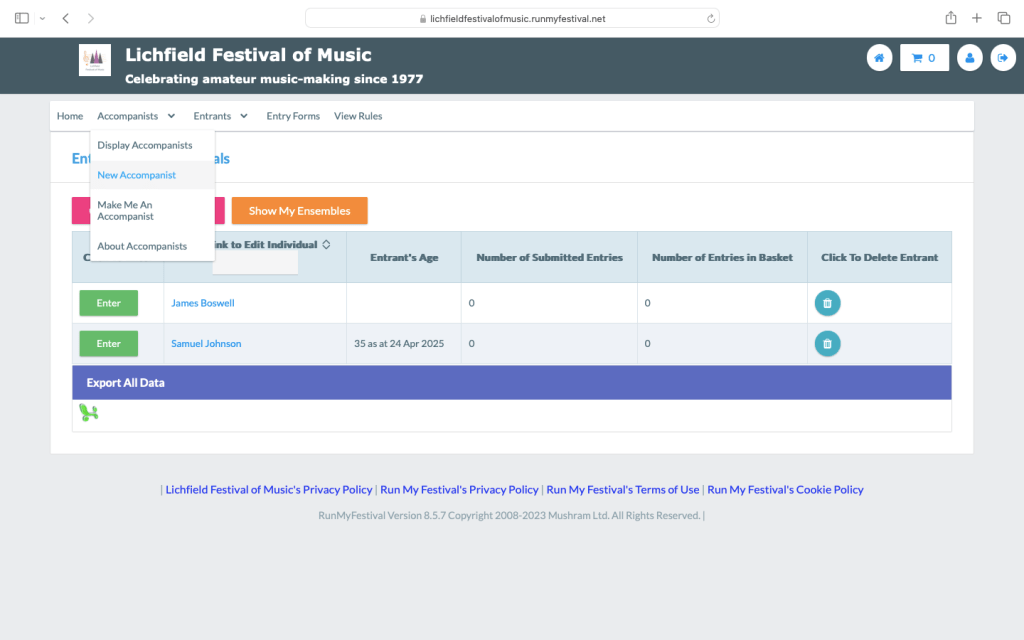
Add their name and click save.
3a. Entering individuals
If you are entering individuals in solo classes, simply click ‘Create New Individual’. Complete the performer’s details and click save. Note that once a date of birth has been entered once, it will not be requested for the same individual again:

To enter them, click the green ‘Enter’ button next to their name:
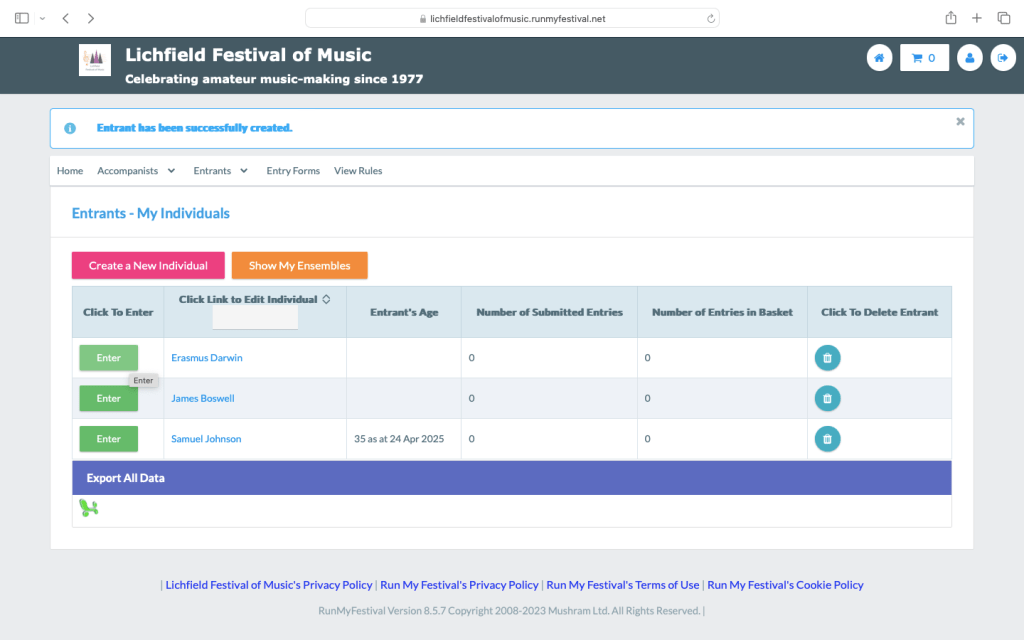
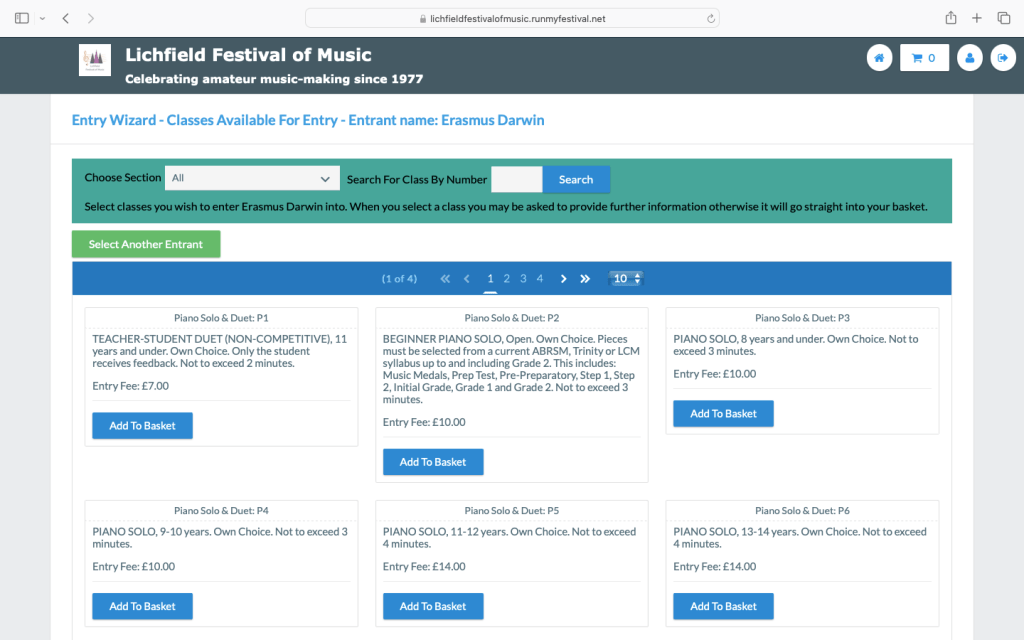
Select the class in which you wish to enter them, and complete the details as required:
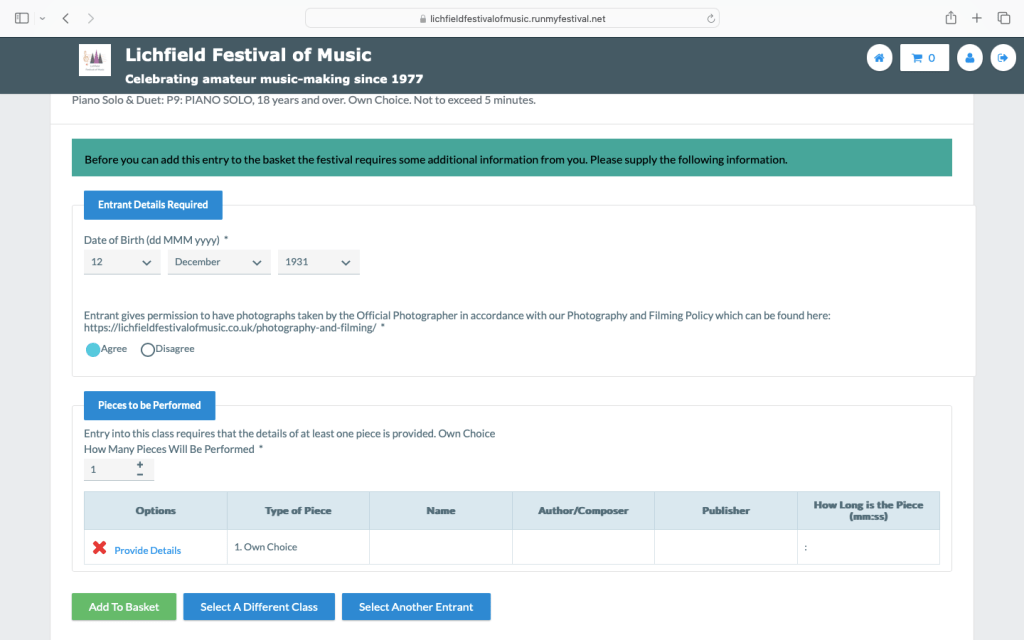
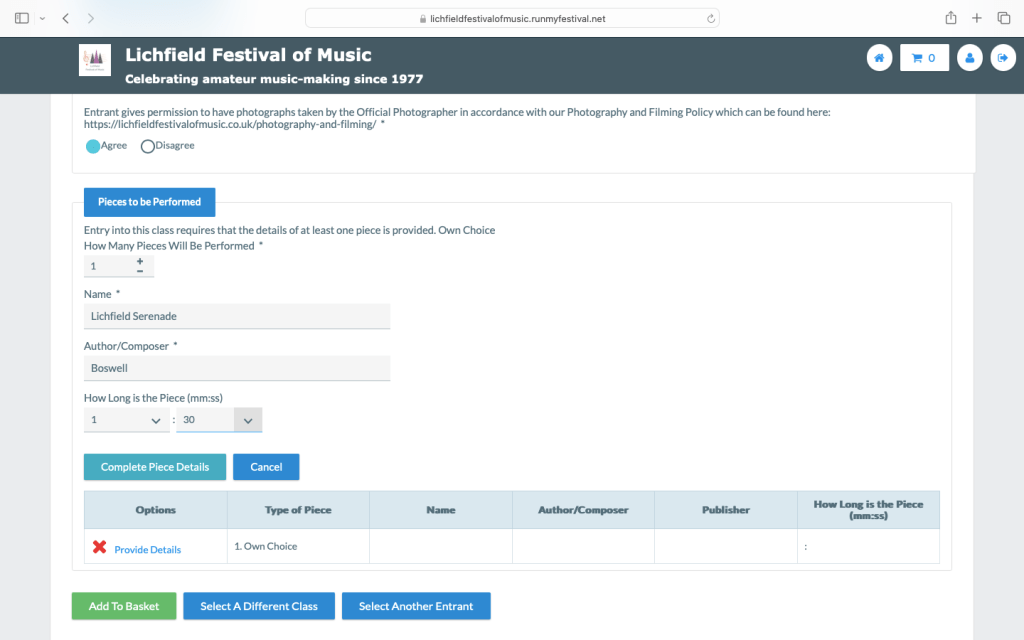
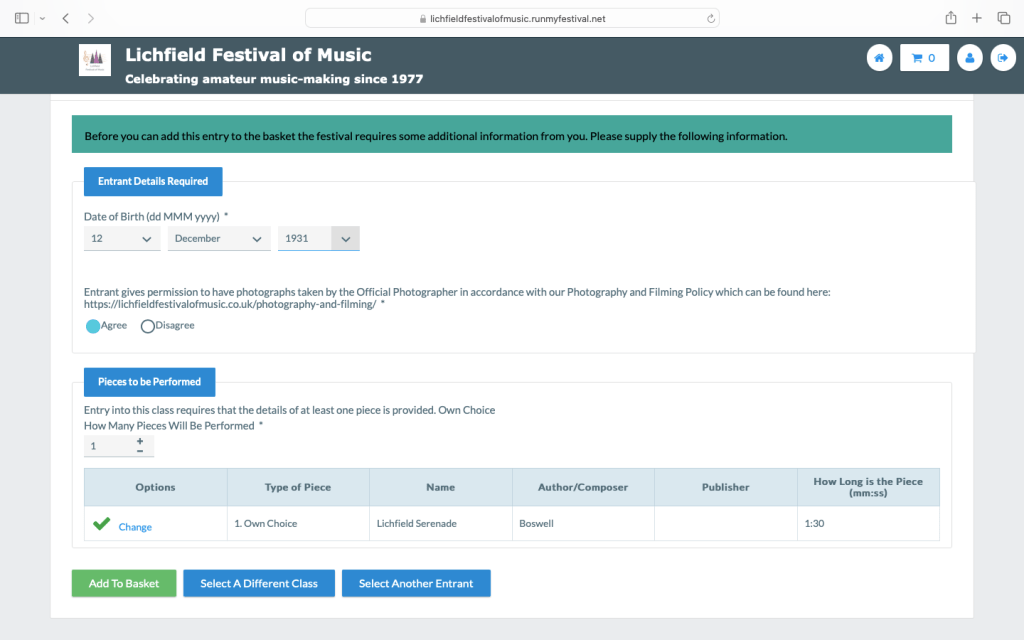
Select how many pieces will be performed. Click ‘Provide Details’ to input the titles and composers of the items being performed. On completion, remember to click ‘Complete Piece Details’. When all the information has been added, click ‘Add to Basket’:
Go to 4 below.
3b. Entering duets and ensembles with named members
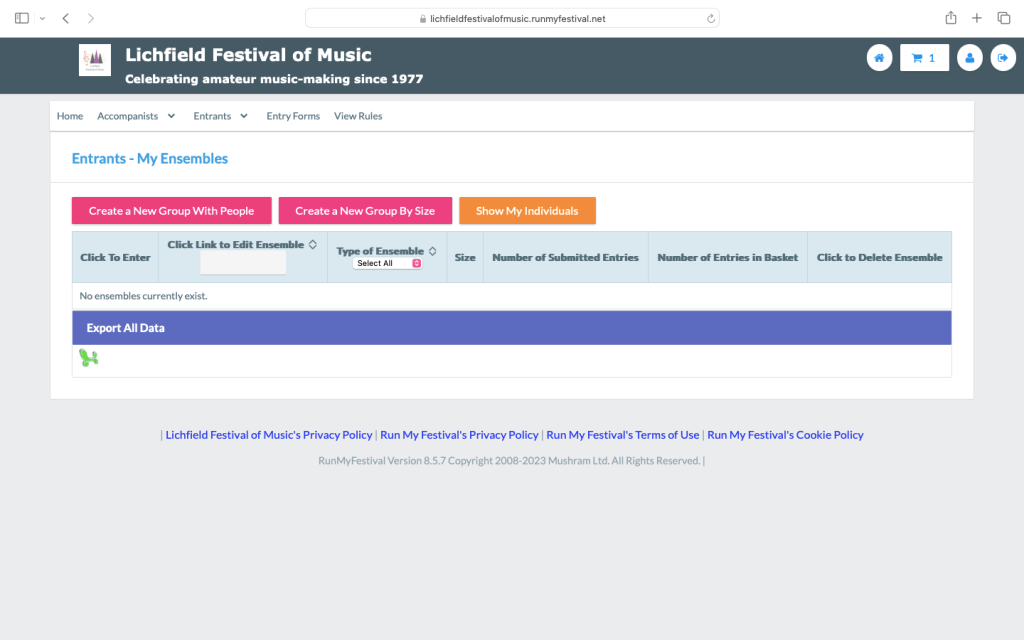
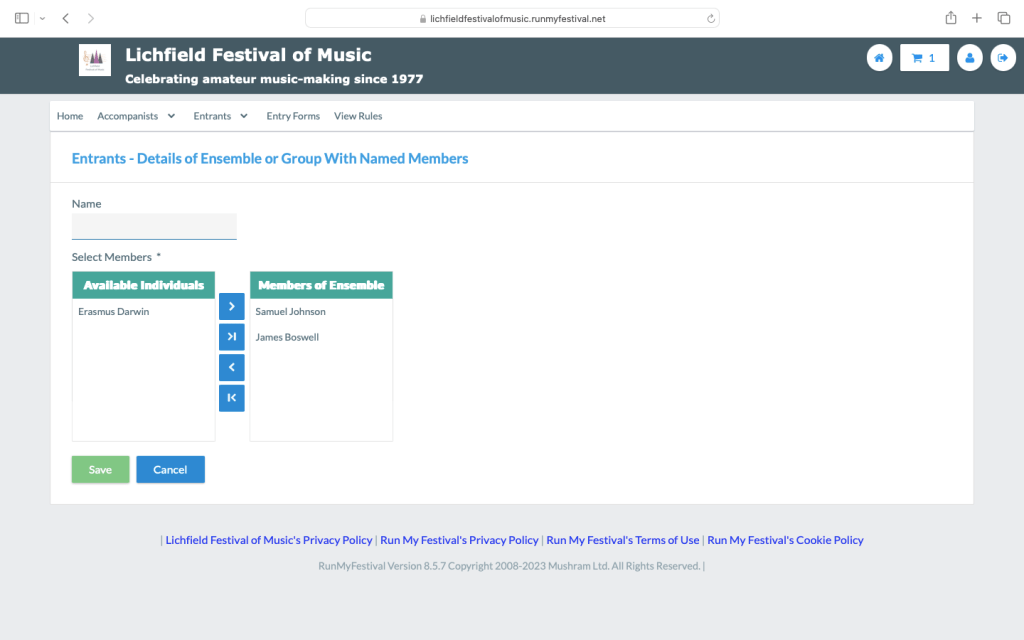
First, add the individual members of the ensemble as individual entrants, as per the instructions in 3a above. Then click on the orange ‘Show My Ensembles’ button. Click the pink ‘Create a New Group with People’ button, then add the individuals to the ensemble using the blue arrow buttons (leave the Name box blank). Click save:
You can then enter the group as a duet or ensemble following the instructions for individuals at 3a above by clicking the green ‘Enter’ button:
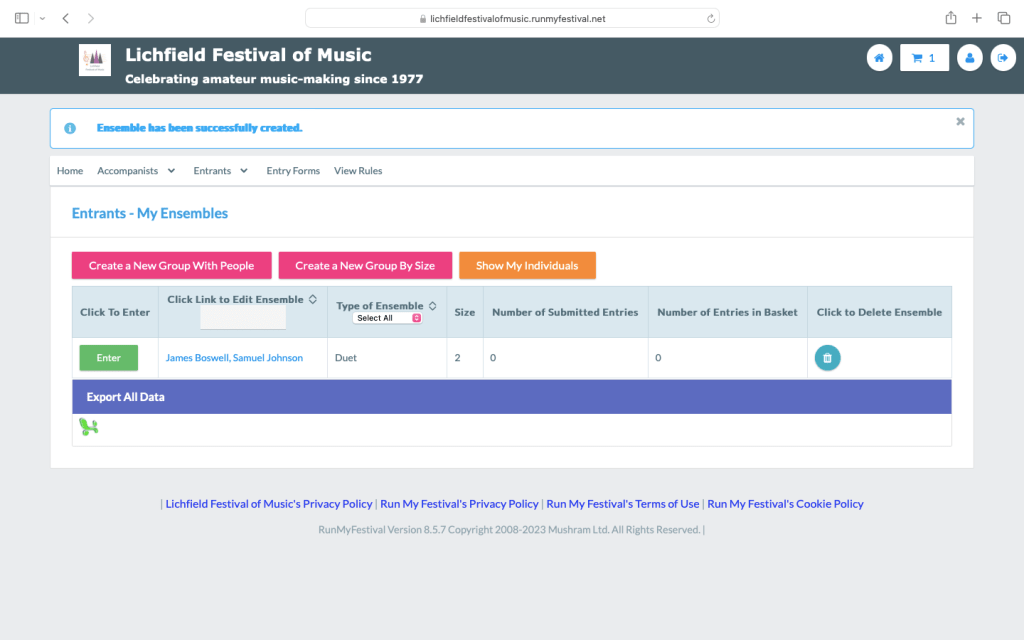
Go to 4 below.
3c. Entering named ensembles and choirs
Click on the orange ‘Show My Ensembles’ button, then the pink ‘Create a New Group By Size’ button:

Complete the details for the name of the ensemble, the number of performers in the group, and if applicable the name of the conductor or director:
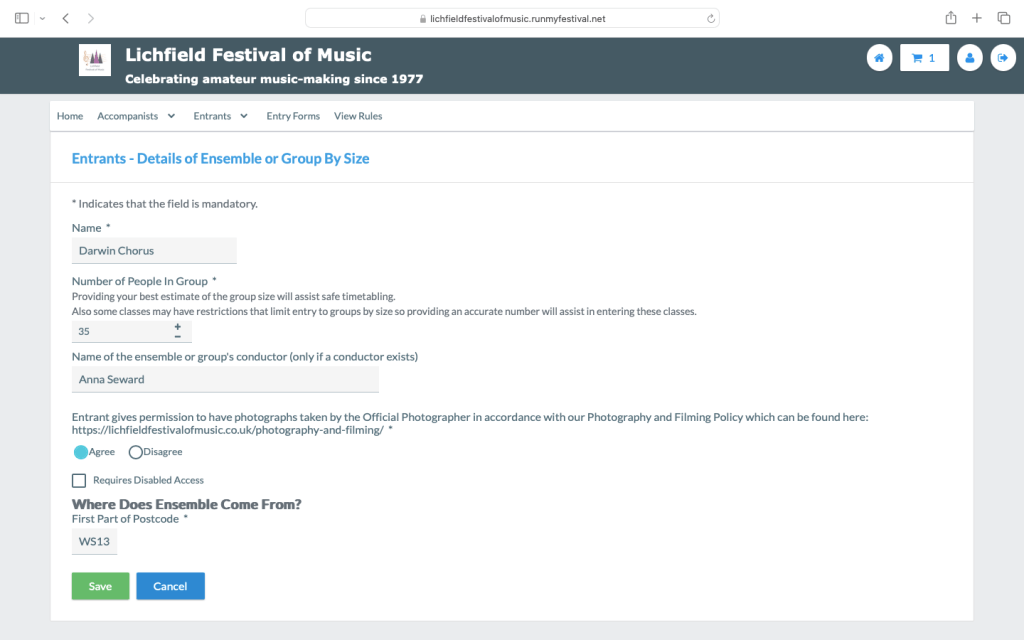
You can then enter the named ensemble or choir following the instructions for individuals at 3a above.
4. Checkout and payment
When you have completed an entry for a class, it will appear in your basket, accessed by the blue button in the top right-hand corner of the screen. You can add multiple entries to the basket before checking out:
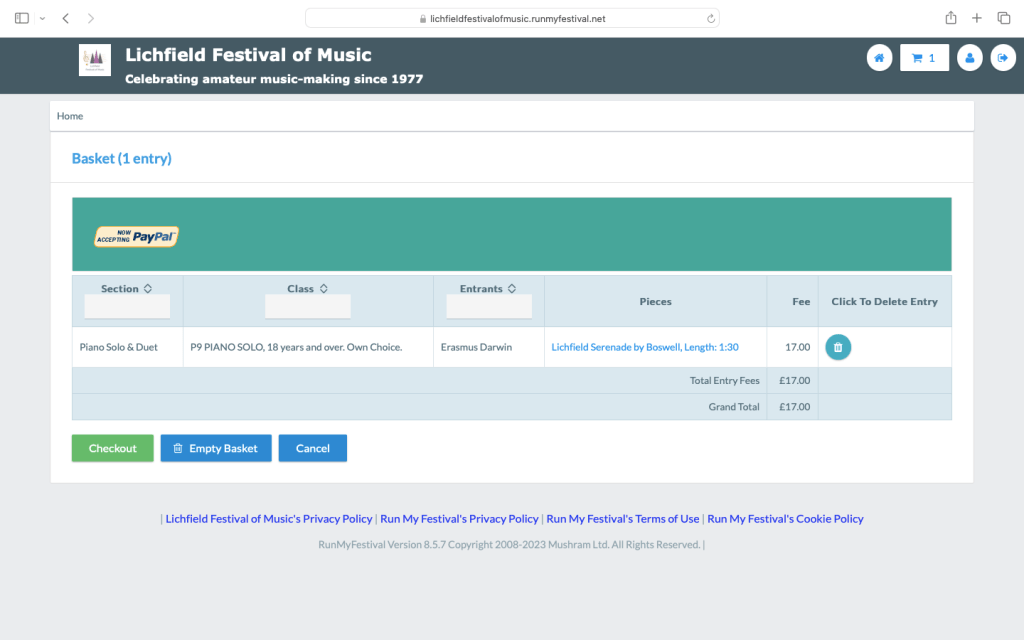
Click ‘Checkout’. You will then need to tick to say you have read and accepted the Festival Regulations:
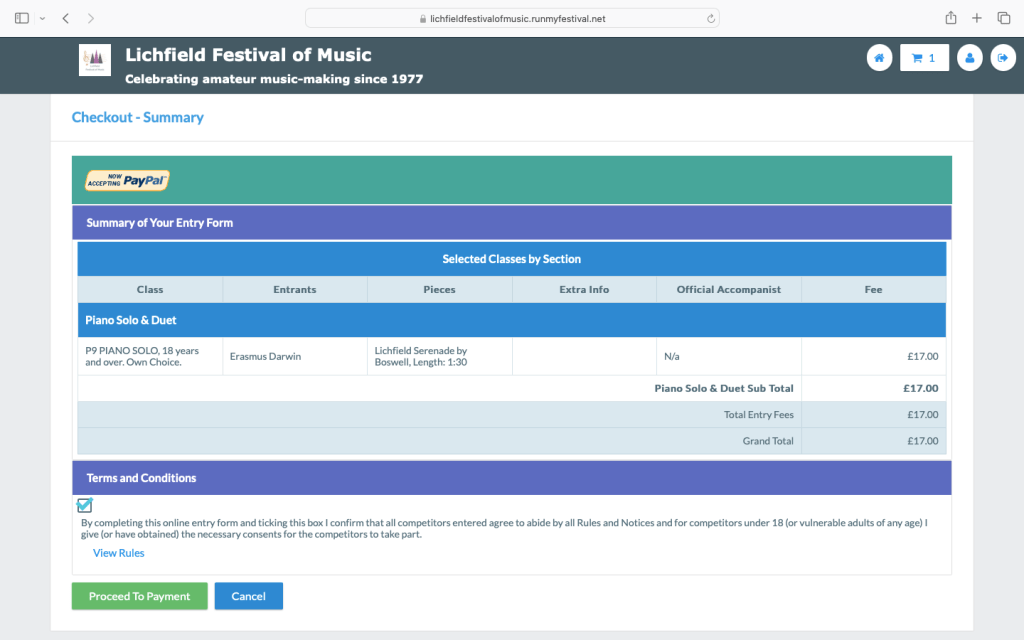
Click ‘Proceed to Payment’ where you can select pay by Bank Transfer or PayPal. Please note that you do not need a PayPal account. Card payments and payments by Apple Pay and similar are also accepted here:


Once you have completed the checkout and payment process, you will receive a confirmation of your entry both on screen and by email.
If you have opted to pay by Bank Transfer, our details are to be found on the confirmation, and we would respectfully ask you to make payment at the time of entry. No places are secure in the Festival until payment has been received.
5. Making changes to your entries
You can log back into you account at any time up until the closing date to make changes to your entries, for example, updating piece details etc.
 Lichfield Festival of Music